The Ultimate Guide to Sharing Holiday Gift Lists This Season
Shared on 23 October 2026, by Ed
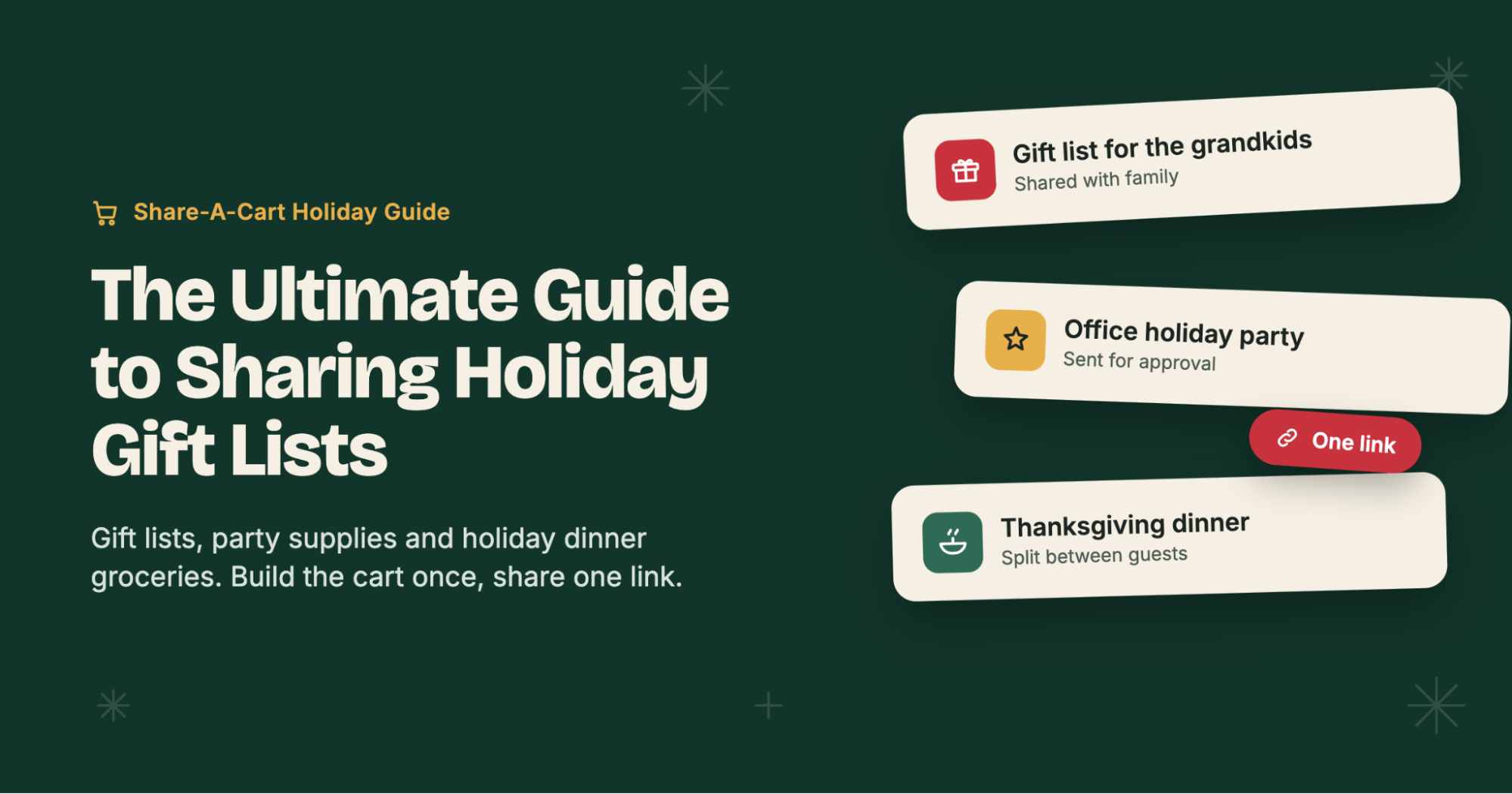
TLDR: Build a cart at any supported store → Open the Share-A-Cart extension or app → Click “Create Cart ID” → Send the link to family, friends, coworkers, or your dinner guests. They load the exact cart in one click and check out themselves. See all supported retailers, or jump to instructions for Amazon, Walmart, and Target.
The holidays are the busiest shopping season of the year, and almost none of it is solo shopping.
Grandparents want to know what the kids actually want. Your sister is asking what to bring to Thanksgiving. The office party needs plates, decorations, and a gift-exchange budget. Someone has to buy the turkey.
Most of this coordination still happens through group texts, screenshots, and “just send me the link.” Things get bought twice, the wrong size shows up, and somebody forgets the cranberry sauce.
Share-A-Cart turns all of that into a single link. You build the cart once, and anyone you share it with can load the exact items, quantities, sizes, and colors into their own cart and check out.
Here are the best ways to use it this holiday season.
🎁 1. Share Christmas and Holiday Gift Lists with Family and Friends
Every year the same question comes in: “What do you want this year?”
Instead of typing out a list (and hoping they find the right version of the right product), build a cart with the things you’d love to receive and share it.
How it works:
- Add your gift ideas to your cart at any supported store, with the exact size, color, and model.
- Create a shareable link to your cart using Share-A-Cart.
- Send the link to whoever asks.
Your family sees exactly what you meant. No “was it the blue one or the navy one?”
Great for:
- ✔ Kids’ wish lists for grandparents, aunts, and uncles
- ✔ Partners and spouses who want to drop a not-so-subtle hint
- ✔ Adult siblings who’ve all agreed to “keep it simple this year”
- ✔ Hanukkah, Kwanzaa, Christmas, or any gift-giving tradition
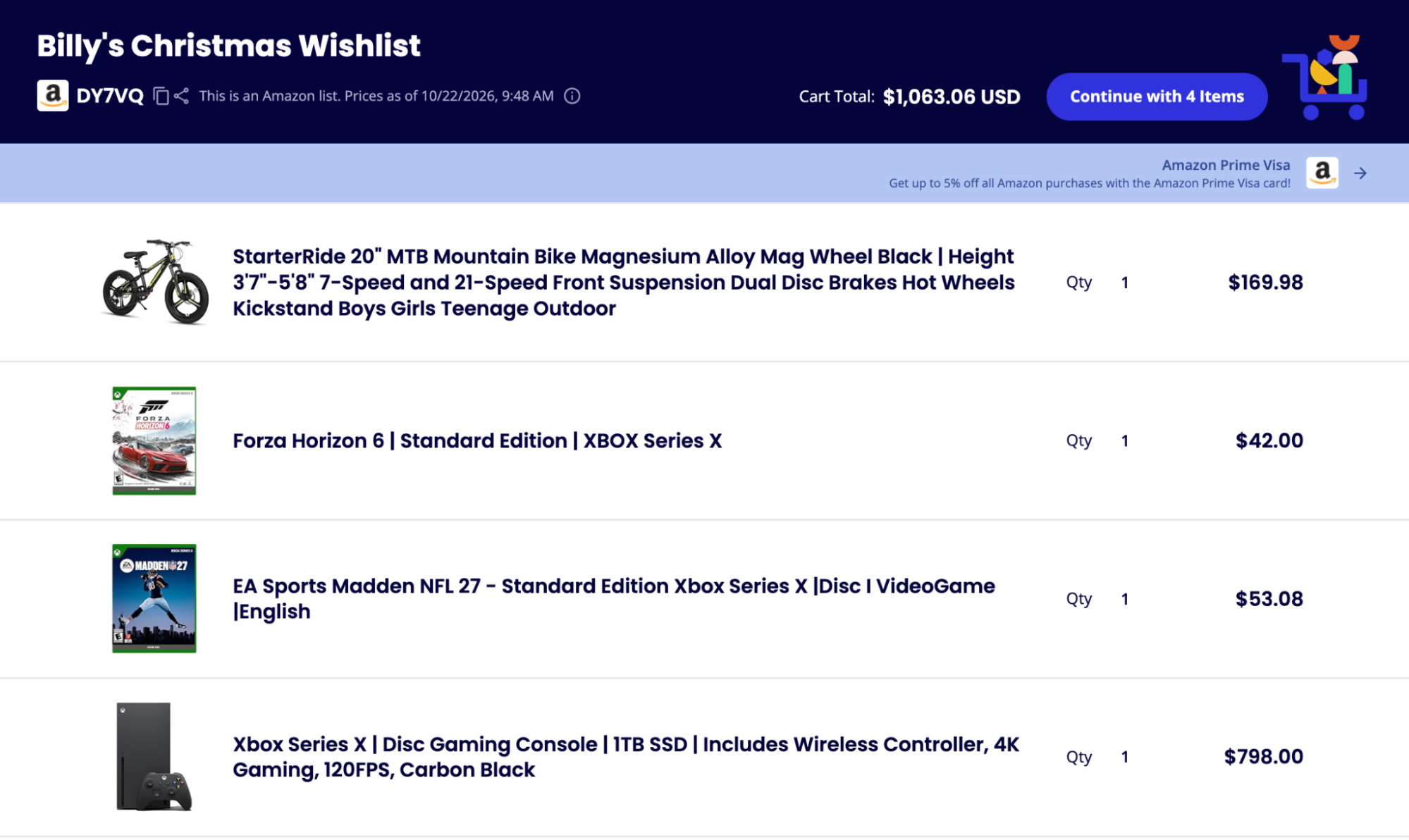
Click here to see this example cart!
🔐 Why a Shared Cart Beats a Wish List
Retailer wish lists are useful, but they come with trade-offs, especially around privacy.
Starting March 25, 2026, Amazon removed the option to restrict purchases from third-party sellers on shared wish lists. When someone buys a gift from your list through a third-party seller, your delivery address can be shared with that seller to fulfill the order. Amazon’s own guidance is to use a PO Box or non-residential address if that’s a concern. Source article.
A shared cart works differently. The person buying the gift loads the cart into their own account and ships wherever they choose: to you, to themselves to wrap, or to the holiday gathering. Your address isn’t attached to the list itself.
| Feature | Share-A-Cart | Retailer Wish Lists | Screenshots / Texts |
|---|---|---|---|
| Works across most retailers | ✓ | ✗ (one store only) | ✓ |
| Exact items, sizes, colors, and quantities | ✓ | Partial | ✗ |
| Address not tied to the list | ✓ | Varies | ✓ |
| One-click checkout for the buyer | ✓ | ✗ | ✗ |
| No account needed to receive | ✓ | ✗ | ✓ |
🤝 2. Coordinate Group Gifts (Without Buying Duplicates)
Going in together on a bigger gift for a parent, teacher, coach, or boss? One person builds the cart, then shares it with the group so everyone can see exactly what’s being purchased and what it costs.
- ✔ The organizer picks the gift and the exact model
- ✔ Contributors see the total before they chip in
- ✔ Whoever is paying loads the cart and checks out, no rebuilding required
It’s also a simple fix for the classic holiday problem of two relatives buying the same toy. Share the cart in the family group chat, and everyone knows what’s already covered.
🎅 3. Run Secret Santa and White Elephant Exchanges
Gift exchanges at home, with friends, or at work run more smoothly with carts:
- Secret Santa: Each participant shares a small cart of ideas within the spending limit. Their Secret Santa picks one (or several) and checks out.
- White Elephant: The organizer can share a cart of on-theme, on-budget suggestions so nobody shows up with a $5 gift to a $50 exchange.
- Teacher and classroom gifts: Room parents can share a cart of items a teacher actually needs, which tends to be much more welcome than another mug.
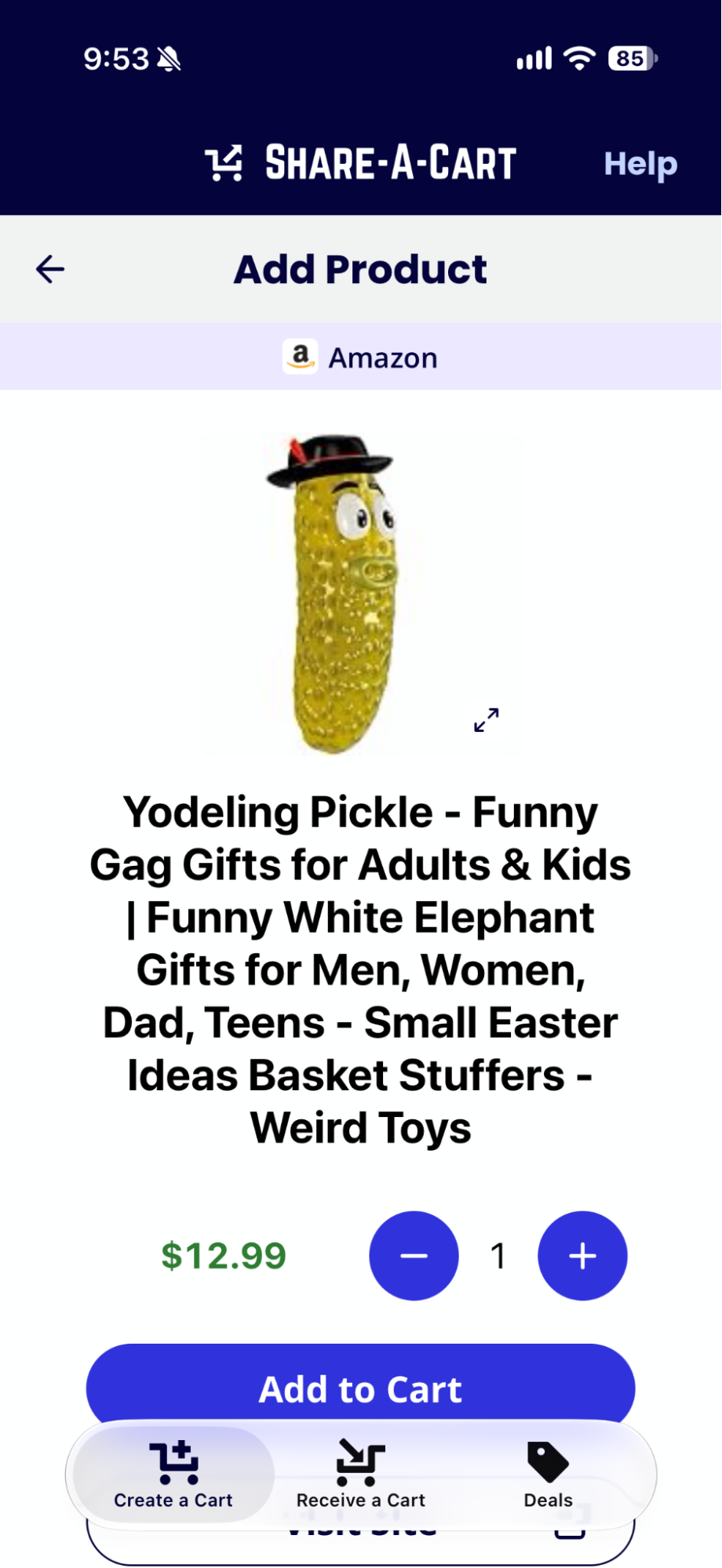
Looking for a great White Elephant exchange gift? How about a yodeling pickle?
🎄 4. Plan Holiday Parties and Events at Home
Hosting this year? A holiday party involves a lot of small purchases across a lot of categories: decorations, tableware, drinks, snacks, games, and party favors.
Build the party cart once, then:
- ✔ Share it with a co-host so you can split the shopping
- ✔ Send it to a partner or family member who’s doing the store run or the online order
- ✔ Reuse it next year. Save the Cart ID and load the same list again in December
Party carts that work well:
- Ugly sweater party supplies
- Tree-trimming night (lights, hooks, ornaments, hot cocoa)
- New Year’s Eve (noisemakers, glassware, decorations)
- Holiday cookie exchange (baking sheets, parchment, sprinkles, gift tins)
- Kids’ holiday crafts and activity kits
🏢 5. Organize Office and Workplace Holiday Events
Office parties have an extra step: someone usually has to approve the spending.
With Share-A-Cart, whoever is planning the event builds the cart (decorations, catering supplies, gift exchange prizes) and sends it to the person with the company card. They review it and check out. No spreadsheets, no shared logins, no copy-pasting product links into an email.
For teams that do this regularly, Share-A-Cart for Organizations adds:
- ✔ Built-in approval workflows
- ✔ Cart review before checkout
- ✔ A clear record of what was requested and purchased
It works the same way for school holiday concerts, nonprofit toy drives, volunteer events, and church or community gatherings: volunteers build the cart, organizers approve it, and sponsors complete the purchase.
🦃 6. Build Thanksgiving and Holiday Dinner Grocery Lists
Holiday meals are where the shopping list gets serious. Thanksgiving dinner alone can mean dozens of ingredients, and they’re rarely bought by one person.
Use Share-A-Cart to:
- ✔ Build the full grocery cart at your preferred supported grocery retailer and share it with whoever is placing the order
- ✔ Split the menu. Create one cart for sides, one for desserts, one for drinks, and send each to the guest who’s bringing it
- ✔ Coordinate Friendsgiving potlucks so you don’t end up with four bowls of mashed potatoes and no stuffing
- ✔ Share your recipe cart. Food bloggers and home cooks can share a cart with every ingredient for a holiday recipe, ready to check out
Holiday meal carts to try:
- Thanksgiving dinner (turkey, stuffing, sides, pies)
- Christmas Eve or Christmas morning brunch
- Hanukkah dinner (latkes, brisket, sufganiyot supplies)
- Holiday baking day
- New Year’s Day brunch
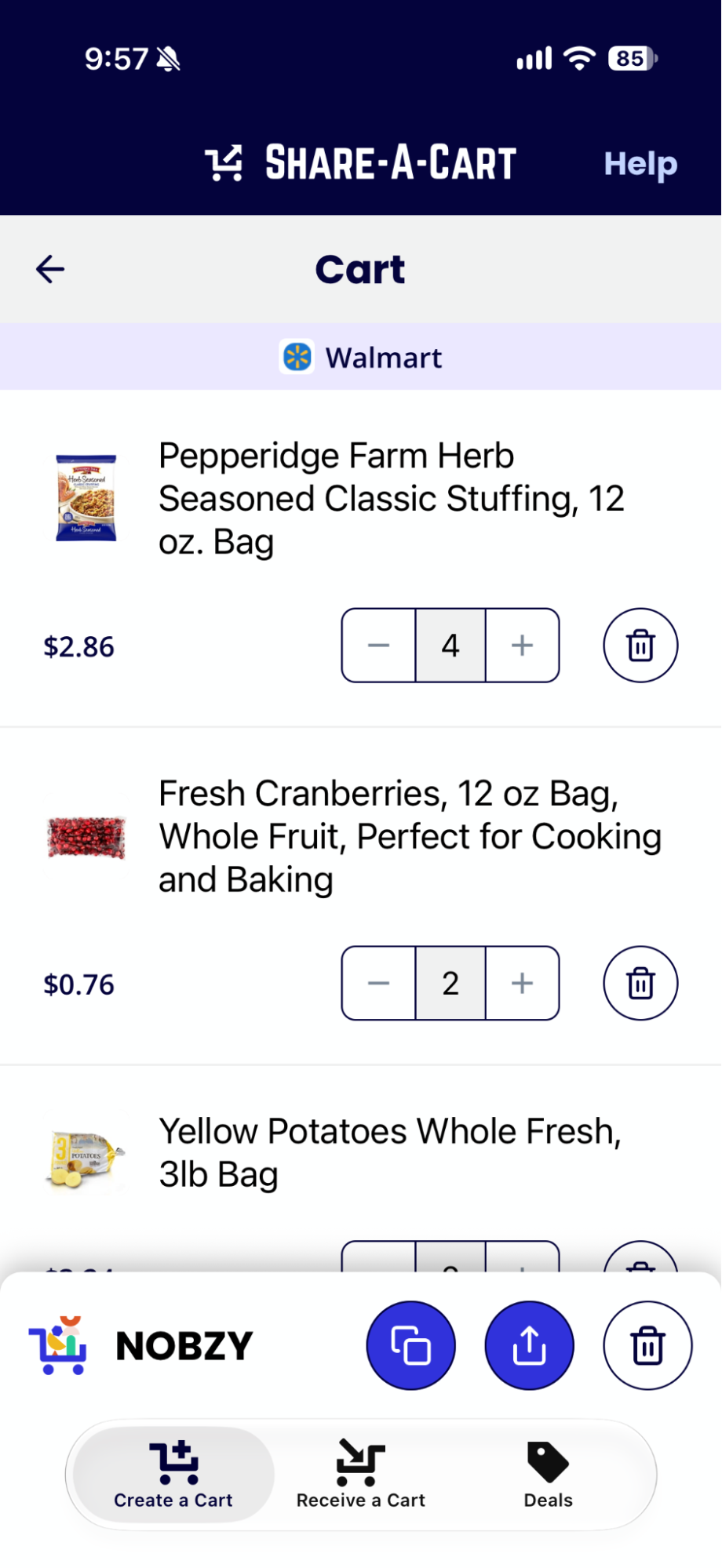
Creating a Thanksgiving grocery list using Share-A-Cart:
🤖 7. Let AI Build the Cart for You
Not sure where to start? Share-A-Cart works with AI assistants through the Claude Connector and the ChatGPT plugin.
Try prompts like:
- “Build me a cart with everything I need for Thanksgiving dinner for 12.”
- “Find five gift ideas under $30 for a 10-year-old who loves science, and put them in a shareable cart.”
- “Make a cart of decorations and supplies for an office holiday party for 25 people.”
You get a shareable cart you can review, tweak, and send.
💸 8. Save Money While You Shop
Holiday budgets stretch thin. Before you check out, browse the Share-A-Cart Deals page for current promo codes and sales across hundreds of stores. Deals are also available in the mobile app.
🔄 Here’s How It Works
Step 1 — Build Your Cart and Create a Shareable Link
Add gifts, party supplies, or groceries to your cart at your store of choice. Open the Share-A-Cart extension or app (no sign-up required) and click Create Cart ID.
Step 2 — Share It
Paste the link or code into a text, email, or group chat, or send it directly from the extension.
Step 3 — They Load It in One Click
Your recipient opens the link or enters the code, and the exact cart loads in their browser. They check out as usual.
❓ Holiday Shopping FAQs
Can I share a gift list from more than one store?
Yes. Share-A-Cart works across hundreds of retailers. Create a cart at each store and share each link.
Will the person buying my gift see my address?
No. A shared cart doesn’t include your address. The buyer loads the cart into their own account and chooses where it ships.
Does my family need to install anything or create an account?
No account is required to share or receive a cart. Recipients can load a cart through the website, browser extension, or mobile app.
Can I use it for grocery orders?
Yes. Build your holiday dinner cart at any supported grocery retailer and share it with whoever is placing the order.
Is it free?
Yes. Cart sharing is free.
🧭 The Bottom Line
Holiday shopping is a team effort, but retailers still build carts for one person at a time.
Share-A-Cart closes that gap:
- 🎁 Share gift lists without sharing your address
- 🤝 Coordinate group gifts and gift exchanges
- 🎄 Plan parties at home and at work
- 🦃 Split up holiday dinner shopping
- 🤖 Let AI build the first draft of your cart
- 💸 Find deals before you check out
Build it once. Share it with everyone. Enjoy the holidays.
Get Share-A-Cart for Chrome · Download on iOS · Get it on Android
